How to Create a More Comfortable and Productive Workspace

Long hours at a desk can quickly turn comfort into frustration.
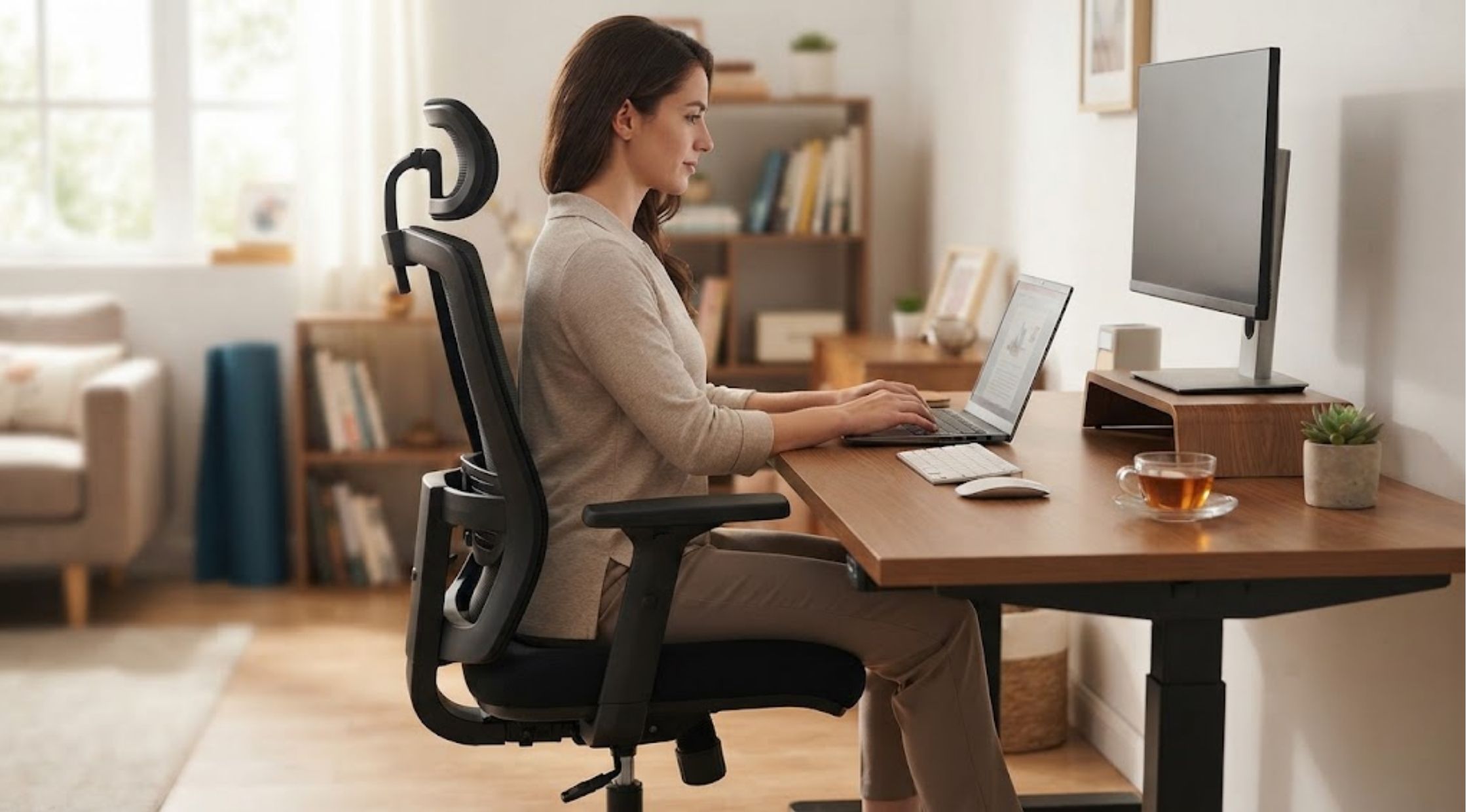
Long hours at a desk can quickly turn comfort into frustration. Poor seating often causes discomfort, reduces focus, and encourages frequent position changes. Meanwhile, an unsuitable workspace can make gaming, studying, or working feel exhausting. Fortunately, small improvements can make your daily setup more comfortable. **COMHOMA** offers suitable furniture for creating a more comfortable workspace. The right chair, desk, posture, and routine can support better working habits. Therefore, consider COMHOMA furniture when planning your workspace.
Common Workspace Problems That Reduce Comfort
Many people experience discomfort after sitting for several hours. An unsuitable chair may offer inadequate support during extended sessions. Additionally, poor seat height can affect your posture and leg positioning. Moreover, a crowded desk can create another challenge. Limited workspace may force you to position essential items awkwardly. Consequently, you may stretch, twist, or lean repeatedly throughout the day. Similarly, gaming setups can create comparable challenges. Gamers often spend several consecutive hours at their computers. Therefore, inadequate seating can make long gaming sessions increasingly uncomfortable.
Why Your Workspace Becomes Uncomfortable
Several factors can create an uncomfortable workspace. First, incorrect chair height can affect your sitting comfort. Your feet should rest comfortably on the floor. Also, keep your knees in a comfortable position while sitting. Secondly, inadequate back support can encourage poor sitting habits. People often lean forward when their chair lacks proper support. Over time, this posture can make long desk sessions more demanding. Additionally, desk placement can affect your overall comfort. Position your monitor at a suitable viewing height. Likewise, keep your keyboard and mouse within easy reach. Furthermore, skipping breaks can increase sitting-related discomfort. Therefore, move your body regularly during extended desk work. Regular movement can help you maintain better comfort throughout your workday.
Practical Ways to Improve Your Desk Setup
Adjust Your Chair Before Starting
Start by adjusting your chair to match your body and desk height. Also, keep both feet comfortably supported whenever possible. Next, place your back against the chair’s supportive areas. However, avoid sitting too far forward for extended periods. Additionally, an adjustable COMHOMA Office Chair lets you customize your sitting position. Therefore, adjust the chair carefully to maintain comfortable and proper positioning.
Keep Your Monitor at a Comfortable Height
Your monitor should keep your head in a natural position. Therefore, avoid repeatedly looking downward at a low screen. Additionally, position your screen at a comfortable viewing distance. This setup can reduce unnecessary neck movement during work. Moreover, keep frequently used items within easy reach. This simple change can reduce repeated stretching across your desk.
Build Movement Into Your Routine
Even a comfortable chair cannot replace regular movement. Therefore, stand up periodically during your work session. Next, walk briefly, stretch your legs, or change your sitting position. These simple habits make extended desk routines more manageable. Additionally, alternate focused work with short movement breaks. This approach supports a more sustainable daily routine.
Choosing Furniture That Matches Your Lifestyle
Different activities require different seating priorities. For example, office workers may prioritize adjustability and everyday comfort. Meanwhile, gamers may prefer extra support during longer gaming sessions. Students also need furniture that suits their study routines. Therefore, choose a chair that fits comfortably within your desk space. Before buying furniture, consider how you use your workspace daily. Also, measure your desk, available floor space, and preferred seating area. Additionally, consider the chair’s design and overall functionality. Features that match your routine can make your workspace easier to use.
A Smarter Approach With COMHOMA Furniture
A well-planned workspace does not need unnecessary complexity. Instead, choose furniture that supports your daily activities. COMHOMA Furniture offers options for different workspace and entertainment needs. Moreover, its range supports work, study, relaxation, and gaming activities. For dedicated gaming setups, a COMHOMA Gaming Chair can enhance your entertainment space. Meanwhile, an office chair suits professional or study environments. Therefore, choose furniture based on your actual requirements. A premium-looking chair cannot fix an unsuitable workspace arrangement.
Benefits of Upgrading Your Workspace
Upgrading your seating can improve your entire workspace experience. A suitable chair can make your desk area more organized and comfortable. Moreover, better adjustability helps you create a personalized sitting position. This flexibility proves useful when several people share one workspace. Furthermore, quality furniture can complement your existing desk setup. A cohesive workspace can also encourage you to maintain better organization. Additionally, a thoughtfully selected COMHOMA Furniture setup can support various daily activities. You can create dedicated spaces for work, study, or gaming. However, furniture works best when you follow healthy workspace habits. Therefore, position your furniture correctly and move regularly throughout your day. Also, place your screen properly to support a comfortable workspace.
Create a Workspace That Works for You
A comfortable workspace starts by identifying problems affecting your daily routine. Then, address posture, furniture, desk arrangement, and movement habits together. Instead of choosing furniture for appearance, evaluate its practical functionality. Consider adjustability, available space, daily usage, and overall comfort. Next, explore COMHOMA options that match your specific workspace requirements. A COMHOMA Office Chair can support professional environments and study spaces. Likewise, a COMHOMA Gaming Chair can support longer gaming sessions. Ultimately, smarter furniture choices can make your workspace practical and enjoyable. Therefore, focus on your needs and build your setup around them.
Recent Blogs
-

PNGTree: Your Design Toolbox or a Licensing Minefield
-

How to Choose Sexy Lingerie and Babydoll Lingerie That Feels Right
-
How to Choose the Best Portable Sauna for Relaxation at Home
-

How to Choose 70s Outfits and Retro Wedding Dresses Without Looking Outdated
-

How to Choose the Right Darth Vader Helmet and Mandalorian Helmet for Your Collection